About Link Vector Studio

Link Vector is an independent app development studio focused on creating user-friendly mobile applications that prioritize privacy and simplicity.

A smartphone is displayed on a black stand, showing an app with the text 'Transforming Ideas into Reality'. Behind the phone, there are blurred green plants. To the left, a white mug with 'webflow' written on it is placed. The scene is set against a dark surface, and there is a checkered board partially visible.
A close-up of a smartphone screen displaying a variety of applications, arranged in a grid pattern. The apps have distinct icons and include names like Agenda, TickTick, and Udemy. The background is blurred, highlighting the focus on the phone's display.
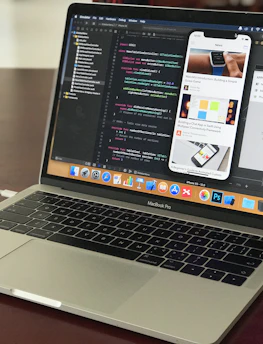
A MacBook Pro laptop displaying a software development environment with code on the screen. The desktop interface includes a smartphone emulator showing various application screens. The scene conveys a tech-focused workspace on a wooden surface.

Our Philosophy

We believe in building intuitive tools that solve real problems without unnecessary complexity or hidden costs, ensuring accessibility for all users.

A smartphone with an app screen is placed next to a laptop with a visible keyboard and part of the screen. The phone displays various app icons and images, while the laptop shows a desktop with multiple application icons.

Gallery

Explore our innovative app designs and user-focused solutions.

A smartphone with various app icons is placed in front of a screen displaying an aerial view of a densely packed cityscape with numerous buildings and streets.
A hand holding a smartphone displaying a grid of colorful application icons. The room features modern decor with a grey curtain, a door, and a cushioned stool with a multi-colored cover. A smartwatch is worn on the wrist holding the phone, and a soft light illuminates the space.
A person is holding a smartphone displaying app interface designs while sitting in front of a laptop with matching app designs on its screen. The setup is on a white desk that also has a plant, water bottle, and a book titled 'CEREAL'.